To maintain your infrared thermometer’s accuracy, regularly clean the lens with a soft, lint-free cloth and a mild, alcohol-based cleaner suitable for optical surfaces. Gently wipe in a circular motion to remove dust and smudges, then verify the lens is completely dry before use. Proper cleaning prevents measurement errors caused by dirt or fingerprints. Keep your device calibrated and handle it carefully—there’s more to know about keeping your thermometer precise over time.

Get baking supplies delivered free with Prime
- Fast, free delivery on millions of items
- Prime Video, Amazon Music and more included
- Member-only deals all year
Key Takeaways
- Use a soft, lint-free cloth and mild alcohol-based cleaner to gently wipe the lens in a circular motion.
- Avoid touching the sensor directly and ensure the lens is completely dry before measurement.
- Regularly clean the lens to prevent dust, smudges, and impurities from affecting accuracy.
- Proper cleaning maintains sensor clarity and prevents measurement drift over time.
- Always calibrate the device after cleaning to ensure continued measurement precision.
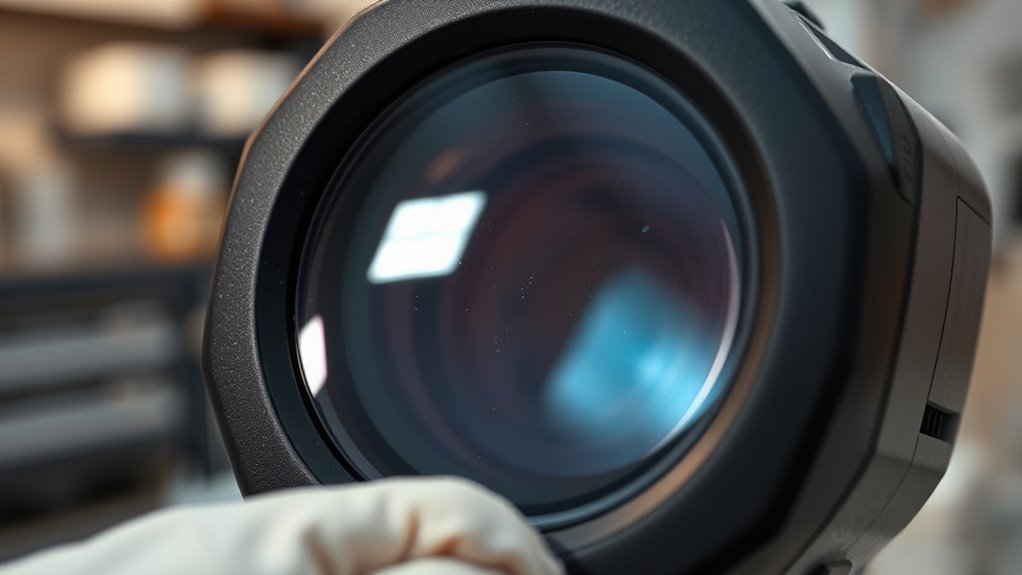
Infrared thermometers are crucial tools for quick and contactless temperature readings, but their accuracy depends heavily on a clean lens. When the lens is dirty or smudged, it interferes with the sensor’s ability to detect infrared radiation accurately, leading to incorrect temperature measurements. To guarantee reliable readings, you need to regularly clean the lens and understand the factors that can affect performance, such as sensor calibration and environmental conditions. Regular calibration helps ensure the thermometer’s readings remain accurate over time, preventing drift caused by environmental factors or rough handling. Sensor calibration plays a critical role in maintaining the thermometer’s accuracy. Over time, calibration can drift due to temperature fluctuations or rough handling, causing the device to give inaccurate results. Regularly calibrating your infrared thermometer, especially after cleaning or if you notice inconsistent readings, helps keep it precise. Proper calibration ensures that the sensor’s response remains aligned with the actual temperature, compensating for any minor deviations. When cleaning the lens, avoid touching the sensor directly or applying harsh chemicals that could damage or misalign the calibration. Instead, use a soft, lint-free cloth and a mild, alcohol-based cleaner designed for optical surfaces. Gently wipe the lens in a circular motion until it’s free of dust, fingerprints, or smudges. Additionally, being aware of toilet flushing mechanisms can help you understand how environmental factors and proper maintenance influence the overall efficiency and accuracy of related equipment. Environmental factors can also considerably impact the accuracy of your infrared thermometer. High humidity, dust, or direct sunlight can cause interference, making it harder for the sensor to detect the true infrared radiation from the target. For example, if you’re measuring someone’s forehead outside in bright sunlight, the readings might be skewed because of ambient heat and light. To minimize this, always use the thermometer in controlled environments where possible, and avoid taking measurements near heat sources, air drafts, or reflective surfaces. Additionally, if you’ve just cleaned the lens, ensure it’s completely dry before use, as residual moisture can distort readings.
Products Worth Considering

KitchenAid Dual Smart Wireless Rechargeable Thermometers, KTH12BM

Vitamix Nano Personal Blender with SmoothiePilot Technology, Black

Philips 3300 Series Fully Automatic Espresso Machine with LatteGo
As an affiliate, we earn on qualifying purchases.
Frequently Asked Questions
How Often Should I Clean My Infrared Thermometer’s Lens?
You should clean your infrared thermometer’s lens after every use or if you notice readings are inconsistent. Regular cleaning guarantees sensor calibration stays accurate. Keep your device reliable by also maintaining the battery—replace or recharge it as needed. Avoid touching the lens with your fingers, and use a soft, lint-free cloth. Proper cleaning and maintenance help keep your thermometer functioning precisely and prolong its lifespan.
Can I Use Alcohol or Solvents to Clean the Lens?
Certainly, you can use alcohol or solvents for cleaning your infrared thermometer’s lens, but be cautious. Chemical cleaning can effectively eliminate grime, maintaining lens preservation and ensuring accuracy. However, avoid harsh chemicals that might damage delicate lens coatings or cause deterioration. Use a soft, lint-free cloth dampened with isopropyl alcohol, applying gentle pressure to preserve the lens’s integrity and keep your thermometer functioning flawlessly.
What Are the Signs of a Dirty or Damaged Lens?
If your infrared thermometer shows lens fogging or sensor misreadings, these are signs of a dirty or damaged lens. Fogging causes inaccurate readings, while misreadings often indicate dirt or scratches on the lens surface. Regularly inspect the lens for smudges, debris, or cracks. If you notice these signs, clean the lens gently with a soft cloth and appropriate cleaner to restore accuracy and prevent further damage.
Is It Safe to Clean the Lens With a Cloth or Tissue?
Yes, it’s safe to clean the lens with a cloth or tissue, but you should use a soft, lint-free cloth to avoid scratches during lens cleaning. Make certain the cloth is clean and slightly damp, not soaked, to prevent moisture damage. Avoid harsh chemicals or abrasive materials, as they can harm the lens. Proper cloth safety ensures your infrared thermometer stays accurate and works effectively over time.
How Can I Prevent Scratches on the Infrared Thermometer Lens?
To prevent scratches on your infrared thermometer lens, avoid abrasive materials and use a soft, lint-free cloth. Look for thermometers with lens protective coatings and scratch-resistant materials, which help shield the lens from damage. Store your device in a protective case when not in use, and handle it gently. Regularly inspect the lens and clean carefully to maintain accuracy without risking scratches or damage.
Conclusion
So, after all that fuss about cleaning your infrared thermometer’s lens, you’d think it’s a miracle worker. But nope, neglecting this simple step can turn it into just another expensive paperweight. Ironically, the tiny smudge or dust that seems harmless can sabotage your readings, making you wonder if your thermometer’s “accuracy” was just a myth all along. Keep it clean, and you’ll actually get the reliable results you’re paying for—who knew?