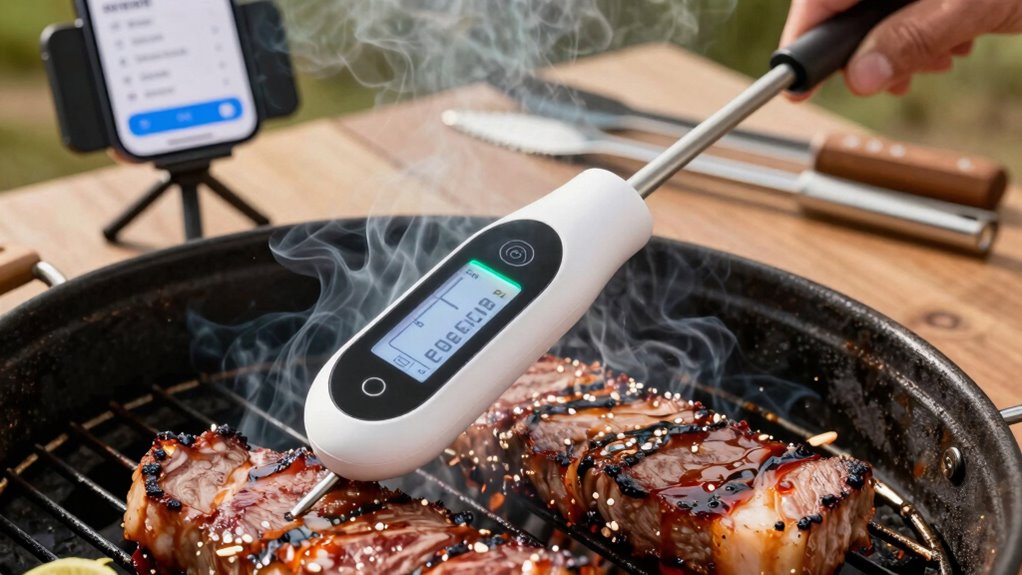
To set up a smart thermometer for outdoor cooking, select a reliable device with strong wireless connectivity and calibrate it using trusted references like boiling or ice water. Connect the thermometer to your smartphone or tablet and customize notifications for specific temperature thresholds. Use multiple probes if needed, and keep firmware and app updated for best performance. Make certain of stable wireless signals by choosing suitable options and minimizing interference. Keep exploring the details to maximize your outdoor cooking success.

Get baking supplies delivered free with Prime
- Fast, free delivery on millions of items
- Prime Video, Amazon Music and more included
- Member-only deals all year
Key Takeaways
- Select a reliable smart thermometer with stable wireless connectivity suitable for outdoor environments.
- Connect the device to your smartphone or tablet and configure real-time data monitoring via the app.
- Calibrate the thermometer using trusted references to ensure accurate temperature readings during outdoor cooking.
- Optimize wireless setup by choosing interference-resistant options like Bluetooth or Wi-Fi, and regularly update firmware.
- Use app notifications and logs to monitor progress, adjust settings, and review results for continuous improvement.
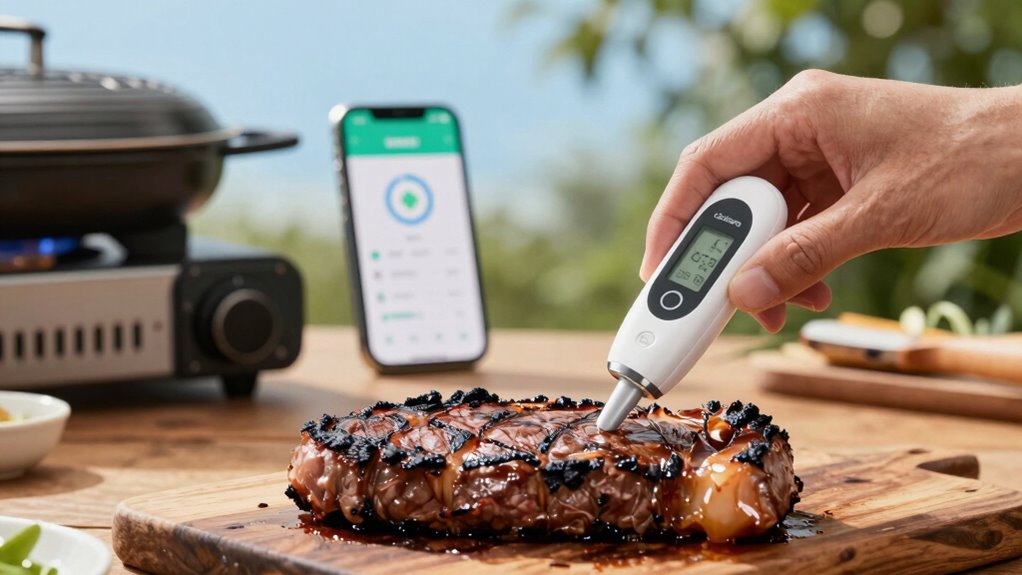
Outdoor cooking has become more precise and convenient thanks to smart thermometers that provide real-time temperature data. With these devices, you can monitor your grill or smoker from a distance, guaranteeing your food reaches the perfect doneness without constantly checking. To set up an effective workflow, start by choosing a smart thermometer with reliable wireless connectivity. This feature allows you to connect seamlessly to your smartphone or tablet via Wi-Fi or Bluetooth, giving you instant updates no matter where you are nearby. The key is making sure your device has a stable connection, so you don’t experience interruptions during critical cooking moments. Once connected, you’ll want to calibrate your thermometer’s temperature readings accurately. Temperature calibration involves comparing your device’s readings with a trusted reference, like a boiling or ice water test, and adjusting the settings accordingly. Proper calibration guarantees that your temperature measurements are precise, preventing undercooked or overcooked results. After calibration, set up your app or software to receive alerts and track temperature data in real time. Customize notifications for specific temperature thresholds based on what you’re cooking, whether it’s steak, chicken, or brisket. This way, you don’t need to constantly monitor the device; you’ll get alerts when your target temperature is reached. To streamline your workflow, organize your cooking process around these alerts. Pre-plan your cooking stages, and use the app to log temperature changes or cooking times, helping you refine your technique over time. Additionally, consider setting up multiple probes if you’re cooking different types of meat simultaneously, or need to monitor internal versus ambient temperatures. This setup allows you to keep an eye on various parts of your meal without complicated adjustments. During the process, make sure your smart thermometer’s firmware and app are regularly updated. Updates often improve wireless connectivity stability and add new features, making your setup more reliable and versatile. Keep your devices charged or plugged in, especially during longer cooks, so you don’t lose connectivity or functionality mid-session. It’s also beneficial to understand how color accuracy and contrast ratio impact the visual quality of your display, ensuring you can see temperature data clearly in different lighting conditions. Moreover, exploring the wireless connectivity options available can help optimize your setup for different outdoor environments. Researching wireless standards like Bluetooth and Wi-Fi can help you select the best options for your needs, especially considering the interference that may occur outdoors. Finally, when your outdoor cooking session is complete, review the temperature logs and alerts to analyze your results. Adjust calibration or probe placement as needed for future cooks. By following these steps—making sure solid wireless connectivity, accurate temperature calibration, and organized alerts—you’ll develop a smooth, efficient workflow that makes outdoor cooking more enjoyable and consistently successful.
smart Bluetooth meat thermometer
As an affiliate, we earn on qualifying purchases.
As an affiliate, we earn on qualifying purchases.
Frequently Asked Questions
Can I Use a Smart Thermometer With Multiple Devices Simultaneously?
Yes, you can use a smart thermometer with multiple devices simultaneously. Many smart thermometers support device compatibility and multi-device synchronization, allowing you to monitor your cooking from different smartphones or tablets. Just make certain the thermometer you choose offers these features. This way, everyone involved can stay updated on the temperature, making outdoor cooking more convenient and collaborative, without needing to switch devices constantly.
What’s the Best Battery Life for Outdoor Smart Thermometers?
Think of your smart thermometer’s battery life as a marathon runner’s stamina—long-lasting with proper care. Aim for a device with at least 8-12 hours of battery longevity, ensuring it keeps up with your outdoor cooking adventures. Power optimization features, like automatic sleep modes, help conserve energy. By choosing a thermometer with these qualities, you’ll enjoy reliable performance and peace of mind, no matter how long your cookout lasts.
How Do I Troubleshoot Connectivity Issues During Cooking?
If you experience connectivity issues during cooking, first check for Wi-Fi interference from other devices or obstacles blocking the signal. Move your smart thermometer closer to the Wi-Fi router or access point to improve the connection. You can also try signal boosting by using a Wi-Fi extender or mesh network. Restart your thermometer and router to refresh the connection, ensuring a stable link for accurate data throughout your outdoor cooking session.
Are Smart Thermometers Weather-Resistant for All Outdoor Conditions?
Think of a smart thermometer as a brave knight guarding your feast; its weather durability is key. Most models feature a waterproof design, making them resilient against rain, snow, and splashes. However, not all thermometers are built for every storm—check the specifications. For peace of mind, choose one explicitly rated for outdoor conditions, ensuring your culinary adventures stay uninterrupted, rain or shine.
Can I Set Custom Alerts for Different Meats and Temperatures?
Yes, you can set custom alerts for different meats and temperatures. With smart thermometers, meat-specific alerts let you personalize temperature settings for various types like steak, chicken, or pork. Temperature customization guarantees you get notified when your meat reaches the ideal doneness. This way, you maintain perfect results without constantly checking, making outdoor cooking easier and more precise.
Wi-Fi outdoor cooking thermometer
As an affiliate, we earn on qualifying purchases.
As an affiliate, we earn on qualifying purchases.
Conclusion
With your smart thermometer workflow in place, outdoor cooking becomes a breeze—like having a trusty compass guiding you through every step. You’ll enjoy perfectly cooked dishes without guesswork, turning every meal into a masterpiece. Just remember, setting up your system is the key to opening this culinary adventure. Once you’re connected, you’ll feel as confident as a captain steering through calm seas, ready to impress with minimal effort and maximum flavor.
As an affiliate, we earn on qualifying purchases.
multi-probe wireless BBQ thermometer
As an affiliate, we earn on qualifying purchases.
As an affiliate, we earn on qualifying purchases.
Columbus Day / Indigenous Peoples' Day Picks
long weekend sales
As an affiliate, we earn on qualifying purchases.