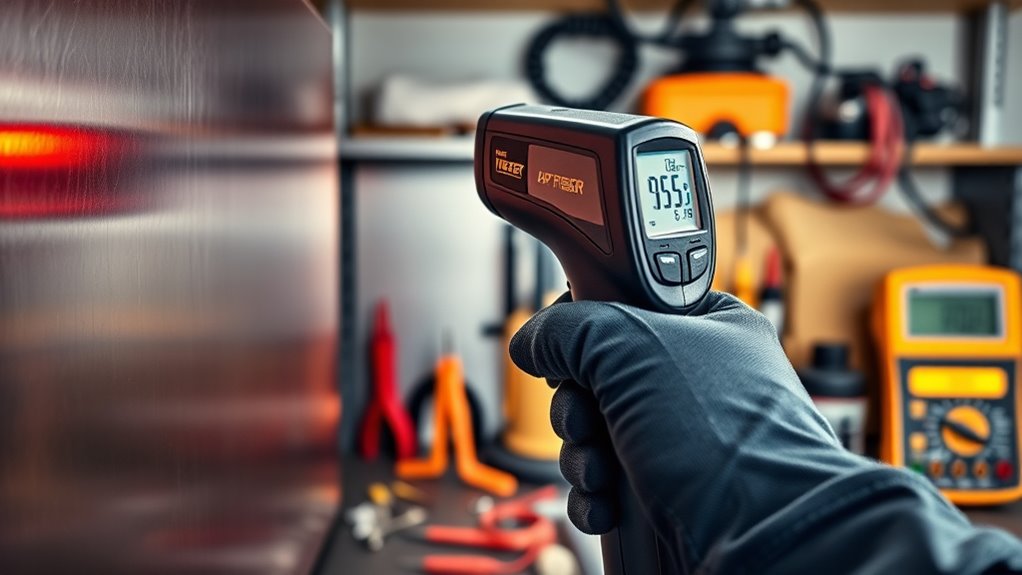

To troubleshoot your IR thermometer, start by checking and replacing weak batteries to guarantee reliable power. Make sure you’re targeting accurately at the right distance, and keep the lens and sensor clean with a soft cloth. It’s also important to calibrate your device regularly and reset it if necessary. Be mindful of environmental factors like temperature or drafts which can affect readings. If you want to master these tips and more, keep going for detailed guidance.

Get baking supplies delivered free with Prime
- Fast, free delivery on millions of items
- Prime Video, Amazon Music and more included
- Member-only deals all year
Key Takeaways
- Regularly check and replace batteries to ensure the device powers on and functions correctly.
- Align the laser or reticle precisely with the target surface for accurate readings.
- Clean lenses and sensors with a soft, lint-free cloth to maintain measurement accuracy.
- Follow calibration and reset procedures as outlined in the user manual for consistent results.
- Consider environmental factors like temperature, humidity, and drafts that may affect measurement accuracy.
Top picks for "nonsense thermometer troubleshoot"
As an affiliate, we earn on qualifying purchases.
Checking and Replacing Batteries

If your IR thermometer isn’t turning on or responding properly, the batteries might be dead or low. Check the device’s power indicators—many thermometers have lights or icons that show battery status. If the power indicator is dim or absent, it’s time to replace the batteries. Keep in mind that battery life varies depending on usage, so even recent replacements can drain quickly if you use the thermometer often. To replace them, turn off the device, open the battery compartment, and remove the old batteries carefully. Insert fresh batteries, making sure they’re oriented correctly according to the polarity markings. Once replaced, turn the thermometer back on and verify if it powers up properly. Regularly checking battery health helps prevent unexpected shutdowns during critical measurements, especially as AI-powered diagnostics can assist in maintaining device performance.
Ensuring Proper Targeting and Distance

To get accurate readings from your IR thermometer, you need to focus on proper targeting and maintaining the correct distance. Targeting accuracy depends on aligning the device’s laser or aiming reticle precisely with the object’s surface. Misaligned targeting can lead to incorrect temperature readings. Additionally, distance calibration is vital; each thermometer has an ideal distance-to-spot ratio that you should follow. Standing too close or too far from the target can skew results. Check your user manual for the recommended distance range and verify you’re within that zone. Consistently targeting the same spot and maintaining proper distance helps guarantee the thermometer provides reliable, consistent measurements. Proper targeting and distance calibration are key to troubleshooting and avoiding inaccurate temperature readings. Incorporating on-device AI capabilities can further assist in ensuring precise targeting and measurement consistency.
Cleaning the Lens and Sensor

Cleaning the lens and sensor of your IR thermometer is essential for maintaining measurement accuracy. Over time, lens fogging and sensor debris can cause inaccurate readings or inconsistent results. Regular cleaning prevents these issues and keeps your device functioning properly. To clean effectively: – Use a soft, lint-free cloth to gently wipe the lens and sensor surface. – Avoid harsh chemicals; instead, use a mild alcohol-based cleaner if needed. – Check for any visible sensor debris or fogging and clean as necessary to guarantee a clear view. Proper maintenance of the sensor’s surface ensures long-term performance and reliable readings.
Calibrating and Resetting Your Device

Regular calibration and resetting of your IR thermometer guarantee it provides accurate readings over time. To do this, consult your user manual for specific instructions, as device firmware updates can affect calibration procedures. Many thermometers allow for simple reset options in the settings menu, which restore factory defaults. If calibration is needed, you might use a blackbody calibration source to verify accuracy. Keep in mind that firmware updates can improve performance and fix bugs, so ensure your device is up to date. Here’s a quick visual:
| Calibration Step | Description |
|---|---|
| Reset to Factory Settings | Use the device menu or buttons to reset. |
| Firmware Update | Check manufacturer website for updates. |
| Recalibration with a Standard | Use a calibration source to verify accuracy. |
Proper calibration guarantees your readings stay precise.
Understanding Environmental Factors

Environmental factors can considerably impact your IR thermometer‘s accuracy. Changes in ambient temperature, humidity, and air currents can lead to incorrect readings. Recognizing and managing these conditions helps guarantee your measurements stay precise. Being aware of data privacy challenges and how they might influence device functionality is also important for maintaining reliable measurements.
Ambient Temperature Effects
Ambient temperature can profoundly impact the accuracy of your IR thermometer, especially if the surrounding environment is much hotter or colder than the target surface. Extreme temperatures can cause your device’s readings to drift, making it harder to get reliable results. Keep in mind that infrared emissivity varies with temperature and surface type, affecting measurement precision. Reflective surfaces, like shiny metals, also pose challenges because they reflect infrared energy rather than emit it, leading to inaccurate readings. To improve accuracy:
- Ensure the thermometer is calibrated for ambient conditions
- Be cautious when measuring reflective surfaces; use a matte coating if possible
- Recognize that high or low ambient temperatures influence infrared emissivity, requiring adjustments
- Be aware that noise levels of heat pumps can impact measurements if the environment is noisy, potentially affecting sensor performance
Understanding these environmental factors helps you troubleshoot and get more precise readings.
Humidity and Air Currents
Have you considered how humidity and air currents can impact your IR thermometer’s readings? Humidity interference can cause inaccurate measurements by affecting the sensor’s ability to detect temperature accurately. Air draft effects, like moving air or fans, can cool or warm surfaces quickly, leading to false readings. To minimize these issues, be mindful of environmental factors. Additionally, proper calibration and understanding of air purifier maintenance can help ensure your environment remains stable for accurate measurements.
| Environmental Factor | Effect on IR Reading | Prevention Tips |
|---|---|---|
| Humidity | Alters surface temp | Use in controlled environments |
| Air drafts | Cool or heat surface | Shield the area from drafts |
| Rapid air movement | Causes fluctuation | Measure quickly and steady |
Recognizing When to Replace Your Thermometer

Knowing when to replace your IR thermometer is essential for maintaining accurate readings. If you notice persistent calibration errors despite recalibration attempts, it’s a sign your device may be beyond repair. Firmware updates can fix bugs or improve performance, but if your thermometer no longer supports updates or still provides inconsistent data after updates, substitution is necessary. Additionally, physical damage like cracked lenses or broken displays indicates it’s time for a new unit. Monitoring sound healing science and understanding how sound vibrations influence health can also inform the importance of reliable measurement tools.
If calibration issues persist or physical damage occurs, it’s time to replace your IR thermometer for accurate readings.
Consider replacing your thermometer if:
- Calibration errors remain unresolved after recalibration attempts
- Firmware updates fail to improve accuracy or are no longer available
- The device shows signs of physical damage or malfunctions persist
Timely replacement ensures your measurements stay reliable and precise.
Frequently Asked Questions
How Can I Improve the Reading Accuracy in Extreme Weather Conditions?
To improve reading accuracy in extreme weather conditions, you should perform environmental calibration regularly to adjust for temperature fluctuations. Additionally, shield your IR thermometer’s sensor from direct sunlight, rain, and wind to prevent interference. Using a protective cover or reflective shield minimizes environmental effects, ensuring more precise measurements. These steps help maintain consistent accuracy, even under challenging weather conditions, so you get reliable readings every time.
What Should I Do if the Thermometer Displays Inconsistent Readings?
If your IR thermometer shows inconsistent readings, start by checking for calibration issues; re-calibrate if necessary. Clean the sensor carefully to remove any contamination that might affect accuracy. Make sure you’re aiming at the right spot and maintaining the correct distance. If problems persist, consult the user manual or contact customer support. Regular maintenance and calibration help prevent these issues and keep your readings reliable.
Can I Use the Thermometer for Measuring Surfaces Other Than Skin?
Yes, you can use your IR thermometer for non-contact measurement of surface temperature. Just make sure you follow the manufacturer’s instructions for surface readings, as some surfaces may reflect or absorb infrared signals differently. Keep the thermometer at the recommended distance, avoid shiny or reflective surfaces, and verify the area is clean. This way, you’ll get accurate surface temperature readings without direct contact.
Is There a Way to Extend the Battery Life During Prolonged Use?
To extend your IR thermometer’s battery life during prolonged use, focus on battery maintenance and power management. Turn off the device when not in use, and avoid keeping it in standby mode unnecessarily. Use energy-saving settings if available, and keep the batteries clean and properly seated. Regularly replacing or recharging batteries also helps guarantee peak performance, so you can measure accurately without interruptions.
How Do I Troubleshoot if the Device Powers on but Shows No Readings?
Think of your IR thermometer as a finely tuned orchestra; if it’s silent, it’s time for troubleshooting. First, check if the device is calibrated correctly—improper calibration can cause no readings. Next, perform display troubleshooting by cleaning the lens and ensuring the display isn’t damaged or obscured. If it still shows no readings, reset the device or replace the batteries, and verify it’s functioning properly after these steps.
Conclusion
Think of your IR thermometer as a trusted compass on your health journey. When you follow these simple tips—checking batteries, targeting correctly, cleaning, calibrating, and understanding environmental factors—you keep it pointing true. But remember, even the best tools need occasional replacement when they lose their way. Keep your device in top shape, and it’ll guide you accurately through every situation, helping you navigate health with confidence and clarity.
Fall Picks
fall essentials
As an affiliate, we earn on qualifying purchases.